 how-to
How to Reset Refrigerator Control Board: Step-by-Step Guide
Table of Contents
- Understanding Your Refrigerator Control Board
- Recognizing Refrigerator Control Board Symptoms
- Hard Reset vs. Soft Reset: What's the Difference
- Refrigerator Hard Reset Procedure
- How to Test Your Refrigerator Control Board
- Validating Your Reset Was Successful
- When to Call a Professional Technician
- Conclusion
- Frequently Asked Questions
Last Updated: August 12, 2026
Understanding Your Refrigerator Control Board
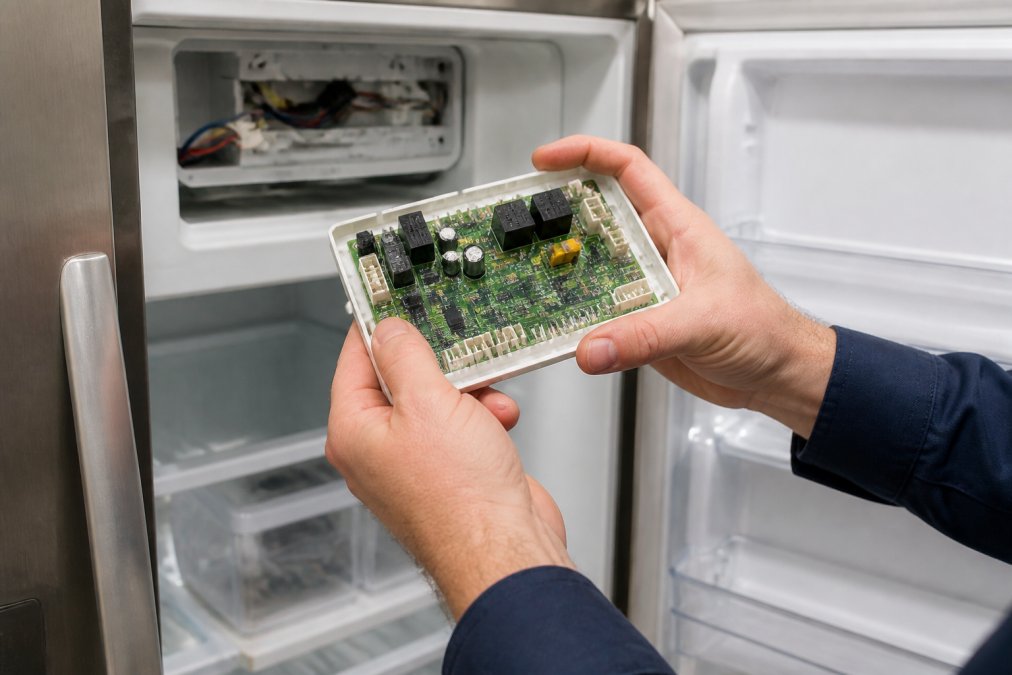
Your refrigerator control board is the brain of the appliance. It manages temperature, controls the compressor, monitors defrost cycles, and displays error codes when something goes wrong. When this component fails, your entire refrigerator can stop working properly, or stop working at all.
The control board sits behind the refrigerator's display panel or inside the unit itself, depending on your model. It's a circuit board with multiple connections to sensors, the compressor, and other critical components. When electrical surges, power fluctuations, or simple system glitches occur, the control board can freeze up or malfunction, requiring a reset to restore normal operation.
At Home Tech, we've helped hundreds of homeowners and restaurant operators troubleshoot refrigerator problems before they lose food or face expensive replacement costs. Many of these issues resolve with a proper reset of the control board. Understanding how your system works and when to reset it can save you time, money, and the stress of a broken appliance in an emergency.
A reset clears the board's memory, stops any error loops, and allows the system to restart fresh. Think of it like rebooting a computer after a software glitch. Sometimes that's all your refrigerator needs to return to normal operation.
Recognizing Refrigerator Control Board Symptoms
Your refrigerator will give you clear warning signs when the control board is failing. Recognizing these symptoms early helps you act before food spoils or the compressor burns out.
The most obvious sign is an error code displayed on your control panel. Different manufacturers use different codes, but they all point to specific problems. Temperature fluctuations are another red flag, if your fridge is too warm or too cold despite your settings, the control board may not be reading sensors correctly or communicating with the compressor properly.
Other symptoms include the compressor running constantly without cycling off, the ice maker failing to produce ice, the defrost cycle malfunctioning, or the display panel going dark. Some refrigerators will beep repeatedly or show a flashing light. In worst cases, the compressor won't run at all, and the interior temperature climbs dangerously.
Common Error Codes and What They Mean
Error codes vary by brand, but they follow patterns. An "E1" or "E2" code often indicates a temperature sensor failure. "F1" or "F2" codes typically point to freezer or refrigerator temperature problems. "E5" or "E6" codes usually signal a defrost system malfunction. "E9" codes often mean a communication error between components.
Samsung Bespoke refrigerators, LG models, GE, Whirlpool, and other major brands all use their own coding systems. Your user manual will decode your specific model's error codes. If you don't have the manual, search your refrigerator's model number online, manufacturers post them on their websites.
The key point: an error code means your control board is detecting a problem and trying to alert you. Sometimes the board itself is fine, and the issue is a sensor, wiring harness, or compressor. Other times, the board itself is failing and needs a reset or replacement. A reset often clears error codes and restarts the diagnostic system, which is why it's the first troubleshooting step.
Hard Reset vs. Soft Reset: What's the Difference
Understanding the difference between a hard reset and a soft reset will help you choose the right approach for your situation.
A soft reset uses your refrigerator's control panel buttons. You hold down specific button combinations, usually the "Reset" button or a combination like "Power" and "Ice Maker" pressed together for 3-5 seconds. This clears minor glitches without powering down the entire unit. It's gentler on the system and takes less than a minute. Use a soft reset first when you see an error code but the refrigerator is otherwise running.
A hard reset involves cutting power to the entire unit. You either unplug the refrigerator from the wall outlet or flip the circuit breaker that controls it. You wait 5-10 minutes, then restore power. A hard reset completely clears the control board's memory, stops any electrical charge in the capacitors, and forces the system to restart from scratch. It's more aggressive than a soft reset and takes longer, but it solves more serious problems. Use a hard reset when soft reset fails, when you see persistent error codes, or when the compressor won't start.
The reason to wait during a hard reset is critical: capacitors on the control board hold electrical charge even after you cut power. Waiting allows them to fully discharge. If you restore power too quickly, you may not fully clear the board's memory, and the problem persists.
Refrigerator Hard Reset Procedure
A hard reset is straightforward if you follow the steps carefully. This process works for most refrigerator brands and models.
Step 1: Locate Your Circuit Breaker
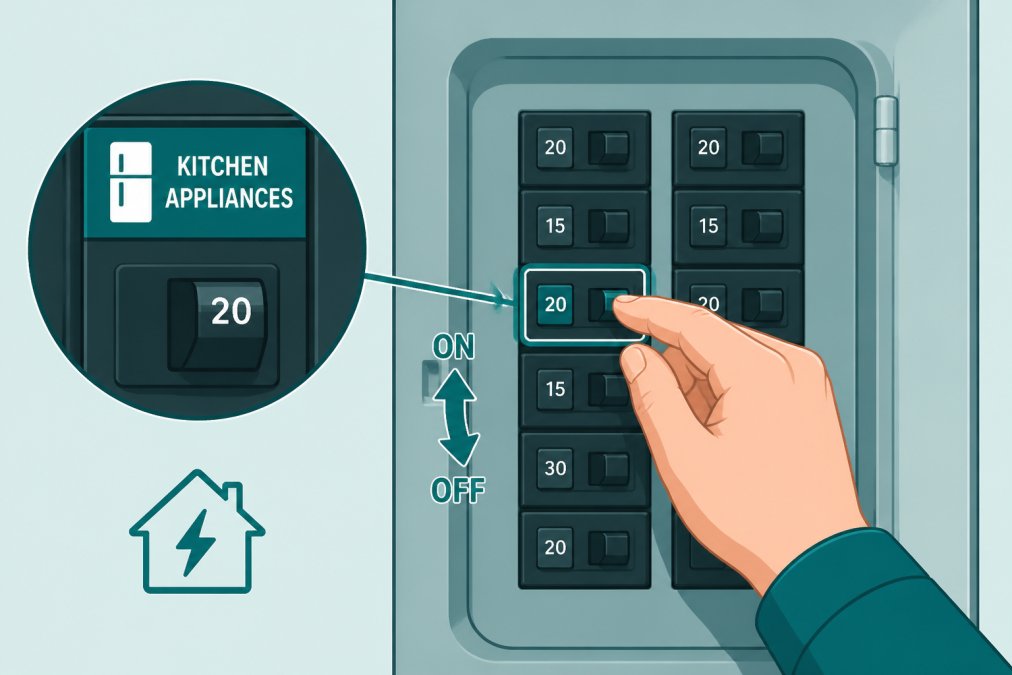
Your refrigerator is connected to your home's electrical panel through a dedicated circuit breaker. Find your electrical panel, it's usually in a garage, basement, utility room, or outside wall. Open the panel door and look for breakers labeled "Kitchen," "Refrigerator," or a similar label. Some homes have the refrigerator on a general kitchen circuit shared with other outlets.
If you're unsure which breaker controls your refrigerator, flip breakers one at a time and watch the refrigerator's display light or listen for the compressor sound. When the light goes dark or the sound stops, you've found the right breaker. Mark it with tape so you can find it quickly if you need to reset again.
Step 2: Power Cycle the Unit
Turn the circuit breaker to the "Off" position. You should hear the refrigerator's compressor stop running. If your refrigerator has a power cord and you prefer not to use the breaker, you can unplug it directly from the wall outlet instead. Either method achieves the same result: cutting all power to the control board.
Step 3: Wait for Electrical Discharge
This step is essential and often skipped. Leave the power off for 5-10 minutes. During this time, capacitors on the control board discharge their stored electrical energy. This complete discharge clears the board's memory and stops any error loops. If you restore power before the capacitors fully discharge, you won't achieve a true reset, and the problem persists.
Use this time to check your refrigerator's coils for dust, clean the exterior, or review your user manual. Don't rush this step, patience pays off.
Step 4: Restore Power and Test
After 5-10 minutes, flip the circuit breaker back to "On" or plug the refrigerator back in. The display panel should light up, and you should hear the compressor start within a few seconds. Listen for normal compressor operation, a steady hum, not loud grinding or rattling.
Watch the display panel for error codes. If the codes are gone and the temperature reading is normal, the reset worked. If error codes reappear immediately, the control board may have a deeper problem that requires professional diagnosis.
How to Test Your Refrigerator Control Board
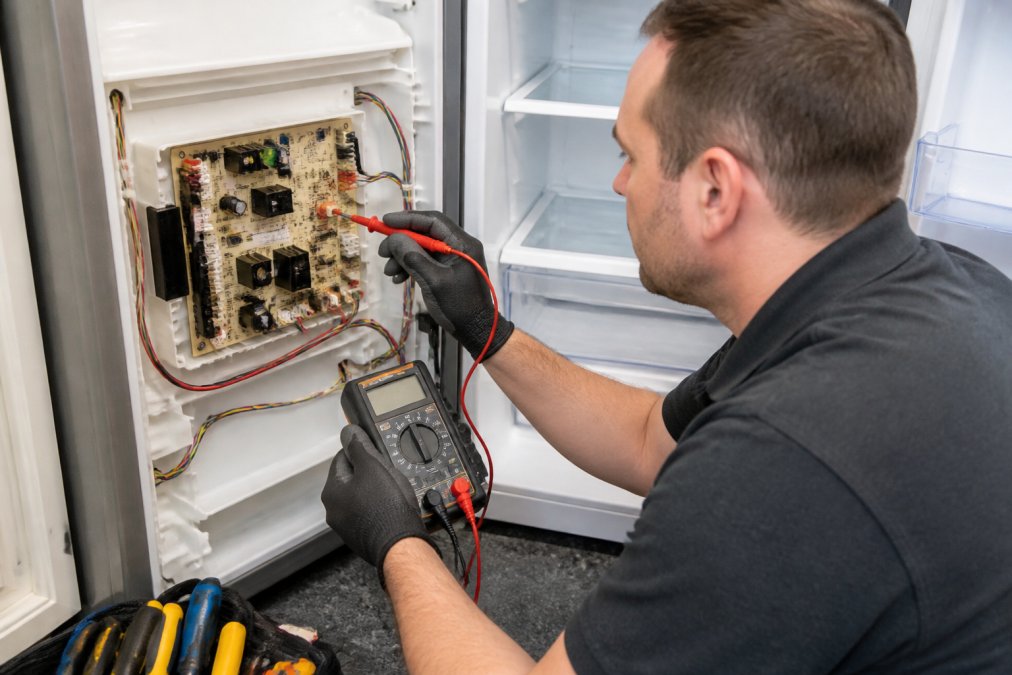
After a reset, you need to verify that the control board is functioning correctly. Testing involves checking temperature readings, listening to the compressor, and observing the defrost cycle.
Set your refrigerator to a moderate temperature, usually around 37-40 degrees Fahrenheit for the fridge section and 0 degrees for the freezer. Wait 30 minutes for the system to stabilize. Then check the actual temperature inside using a kitchen thermometer. Place the thermometer in the center of a shelf, away from the walls and vents. If the actual temperature matches your setting within 2-3 degrees, the temperature sensors and control board are communicating correctly.
Listen to the compressor. It should run for 20-30 minutes, then cycle off for 10-15 minutes. This cycling pattern is normal and shows the control board is managing the compressor correctly. If the compressor runs constantly without cycling, or won't run at all, the control board may not be sending proper signals.
Check the ice maker if your refrigerator has one. It should produce ice within 24 hours of a reset. If it doesn't, the control board may not be communicating with the ice maker module.
Watch for the defrost cycle. Modern refrigerators trigger a defrost cycle automatically, usually once or twice daily. You may hear water draining or see slight frost melting. This is normal and shows the control board's defrost logic is working.
Validating Your Reset Was Successful
A successful reset means your refrigerator returns to normal operation without error codes, maintains proper temperature, and cycles the compressor correctly.
Check your display panel daily for the first week. If no error codes appear and temperatures remain stable, the reset solved your problem. If error codes reappear, take note of which code appears and how often. This information helps a technician diagnose the real issue.
Monitor food quality as a practical test. If your food stays fresh and ice cream remains frozen solid, your refrigerator is working properly. If food spoils quickly or ice cream gets soft, the control board may not be maintaining temperature correctly despite appearing to reset.
Some refrigerators have a test or diagnostic mode accessible through button combinations on the control panel. Check your manual for your model's diagnostic procedure. Running diagnostics confirms that the control board is communicating with all sensors and components correctly.
When to Call a Professional Technician
Not every refrigerator problem is solved by a reset. If you've completed a hard reset and the refrigerator still isn't working properly, it's time to call a professional.
Call a technician if error codes reappear immediately after a reset, if the compressor won't start even after power is restored, or if the refrigerator reaches dangerous temperatures above 45 degrees Fahrenheit. Food safety is at stake, bacteria multiply rapidly in warm temperatures, and you risk foodborne illness.
Also call a technician if you're uncomfortable locating your circuit breaker, if you have an older refrigerator with sealed-system refrigerant, or if you suspect the problem involves electrical wiring rather than the control board itself. Sealed systems require EPA 608 certification to service legally, and wiring issues can create electrical hazards.
Home Tech's EPA 608-certified technicians handle complex refrigerator problems, including sealed-system repairs, compressor diagnostics, and control board replacement for all major brands. If your reset doesn't solve the problem, we can test individual components, identify the real failure point, and fix it fast. Same-day service means you don't lose a full day of food, which is critical for families and especially for restaurants and grocery stores.
Conclusion
Resetting your refrigerator control board is a practical first step when you see error codes or notice temperature problems. A hard reset, cutting power for 5-10 minutes, then restoring it, clears the board's memory and solves many common issues without cost. If a soft reset through your control panel buttons doesn't work, a hard reset via your circuit breaker often does.
However, if your reset doesn't clear error codes or restore normal temperature, the problem likely isn't the board itself, it's a sensor, compressor, or wiring issue that needs professional diagnosis. That's where Home Tech comes in. Our technicians can test every component, identify the real failure point, and fix it fast. For refrigerator emergencies in the Phoenix area, call (602) 486-1901 or visit hometechappliancerepair.com to schedule same-day service. We service all major brands and offer a 100% satisfaction guarantee on every repair.
Frequently Asked Questions
How do you reset the control panel on a refrigerator?
Most refrigerators reset through a power cycle: unplug the unit or switch off its circuit breaker, wait 5-10 minutes for the capacitor to discharge, then restore power. Some models have a dedicated reset button on the control panel or inside the fridge near the main control board. Check your user manual for the exact location, as it varies by brand. If the display doesn't respond after power restoration, the control board may need professional service.
How do I know if my refrigerator control board is bad?
Signs of a failing control board include unresponsive touch panels, erratic temperature swings, error codes that persist after a hard reset, compressor that won't start, or a display that flickers or won't turn on. If your refrigerator control board symptoms include multiple issues at once, such as temperature problems combined with a frozen display, the board itself is likely the culprit rather than a sensor or thermostat. A professional technician can test the board's voltage and firmware to confirm.
Does unplugging a refrigerator reset it?
Unplugging your refrigerator acts as a soft reset, clearing temporary glitches from the control module and allowing the capacitor to discharge. This fixes minor issues like frozen displays or stuck error codes. However, it doesn't reprogram the firmware or address deeper electrical problems. For a more thorough reset, locate your circuit breaker and switch it off instead, this ensures a complete power loss. Always wait at least 5-10 minutes before restoring power to allow the system to fully discharge.
Can a power surge damage a refrigerator control board?
Yes, a power surge can damage the control board's delicate circuitry, wiring harness, and firmware. Surge damage may appear immediately as a non-responsive display or error codes, or gradually as intermittent failures. If your refrigerator stopped working after a storm or power outage, the control board may have suffered thermal overload or voltage spike damage. A hard reset won't repair surge damage; you'll need a technician to diagnose the board and determine if reprogramming or replacement is required.