 how-to
How to Replace a Samsung Refrigerator Water Filter
Table of Contents
- Before You Start: What You'll Need to Replace a Samsung Refrigerator Water Filter
- Samsung Refrigerator Water Filter Compatibility: Which Filter Fits Your Fridge
- Samsung Fridge Water Filter Location: Where to Find It
- Step-by-Step: How to Replace Your Samsung Refrigerator Water Filter
- How to Flush a New Refrigerator Water Filter
- How to Reset Samsung Refrigerator Filter Light
- Common Mistakes to Avoid When Replacing a Samsung Refrigerator Water Filter
- When to Call a Professional for Samsung Refrigerator Water Filter Issues
- Frequently Asked Questions
Last Updated: October 8, 2026
Before You Start: What You'll Need to Replace a Samsung Refrigerator Water Filter
Replacing a Samsung refrigerator water filter is a straightforward job most homeowners can finish in under ten minutes. The process comes down to three things: the right filter, a little preparation, and knowing where the housing sits. Get those right and you avoid the two problems we see most often, a filter that won't seat and water sprayed across the kitchen floor.
Here's what you need before you touch anything.
Tools and Materials
You don't need much, and you probably own all of it already:
- A replacement filter that matches your model
- A clean towel or two
- A small bowl or shallow pan
- A cup for catching drips during the flush
- Your refrigerator's manual, if you still have it
Skip the wrench. Samsung filters twist out by hand, and forcing one with a tool cracks the housing. A cracked housing turns a ten-minute job into a service call.
How to Find Your Filter Model Number
The filter model number is printed on the old filter itself. Pull it out and look at the label on the side or end cap. You'll see a code that starts with letters like DA, HAF, or a short numeric string.
If the label is worn or missing, check these spots:
- Inside the refrigerator, on the wall near the filter housing
- On the model and serial tag inside the fresh food compartment
- In your owner's manual under the filter section
Write the number down before you order. A filter that looks identical but carries a different code usually won't lock into place.
Samsung Refrigerator Water Filter Compatibility: Which Filter Fits Your Fridge
Samsung refrigerator water filter compatibility comes down to one rule: match the filter code to your refrigerator's model, not to the shape of the cartridge. Two filters can look nearly identical and still not fit, because the locking tabs and internal connections differ between generations.
Samsung has used several filter families across its lineup, and the code on your old filter is the fastest way to get the right one. If you're ordering online, enter your full refrigerator model number rather than searching by the filter's appearance.
A few practical notes:
- Filters sold as "universal" or "fits most Samsung" often leak or won't seat
- Aftermarket filters vary widely in build quality and how well they seal
- A filter that fits your neighbor's Samsung may not fit yours, even in the same year
If you're unsure, bring the old filter to the store or read the code to the person on the phone. It takes thirty seconds and saves a return trip.
Samsung Fridge Water Filter Location: Where to Find It
Samsung fridge water filter location depends on your model, but it's almost always in one of two places. Most newer refrigerators hide the filter inside the fresh food compartment, while older and some side-by-side models put it behind the base grille at the bottom.
Internal vs. External Filter Placement
Internal filters sit inside the refrigerator, usually in one of these spots:
- Upper right corner of the fresh food section
- Along the back wall, behind a small cover
- In the left or right door bin area
External filters mount behind the kick plate at the bottom front of the unit. You'll need to remove the grille, which usually pulls straight off or unscrews with two screws.
Internal filters are easier to reach and change. External filters stay out of the way but collect dust and are harder to see when they need attention.
If you can't find yours, check the manual or look for a small round or rectangular cover inside the fridge. That cover is the giveaway.
Step-by-Step: How to Replace Your Samsung Refrigerator Water Filter
Here's the full process, start to finish. The whole job takes about five to ten minutes.
- Shut off the water supply. Find the valve behind or under the refrigerator and turn it off. This prevents a spray when you remove the old filter.
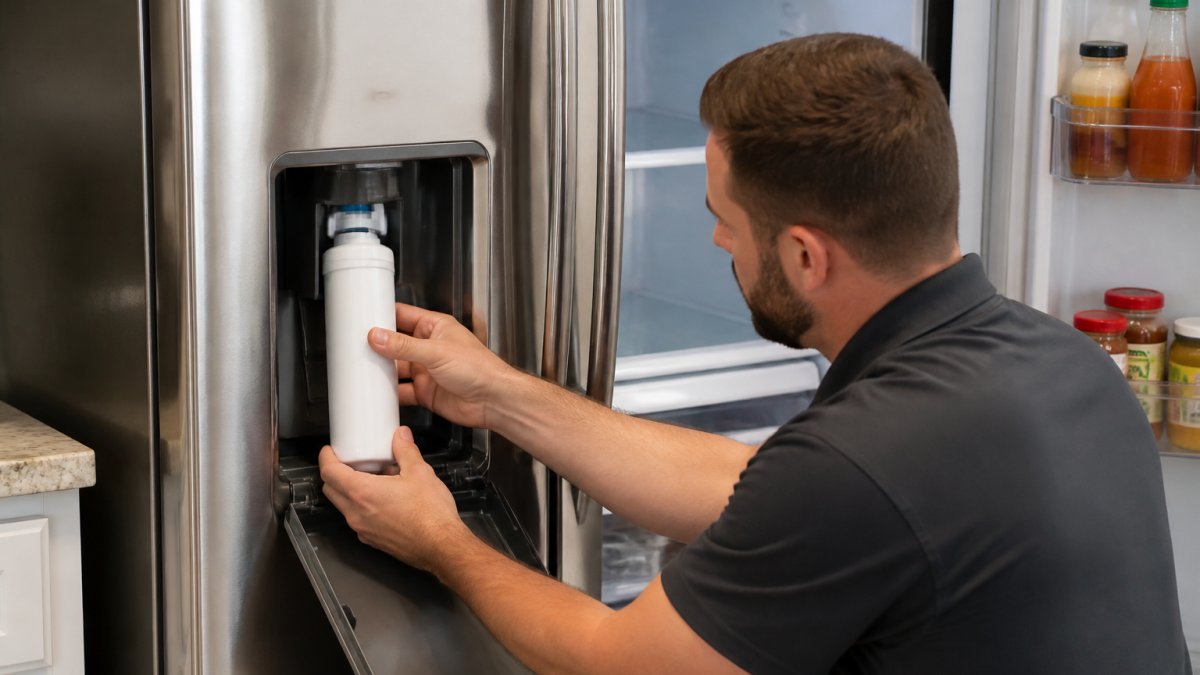
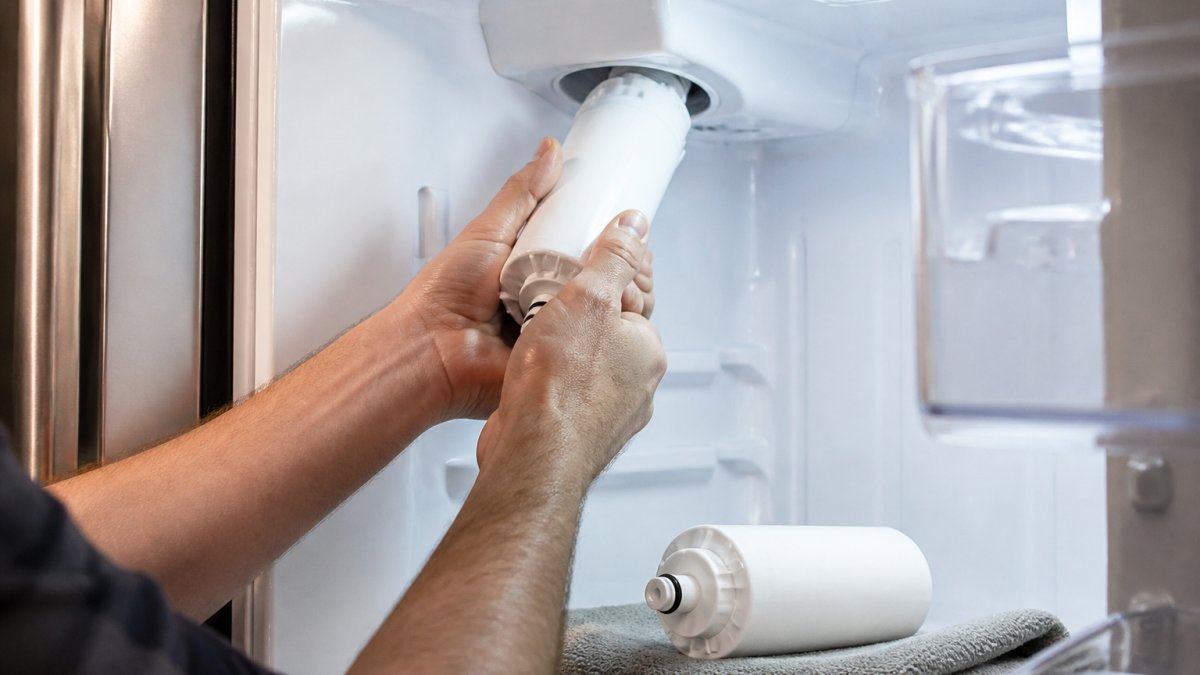
- Open the filter housing. For internal filters, twist the old cartridge a quarter turn counterclockwise and pull it straight out. For external filters, remove the grille first.
- Wipe the housing. Use a clean towel to dry the inside and remove any grit or debris.
- Remove the cap from the new filter. Peel off the protective cover and any plastic wrap.
- Insert the new filter. Line up the tabs, push it in firmly, and twist a quarter turn clockwise until it stops. You'll feel it lock.
- Turn the water back on. Open the supply valve slowly and listen for leaks.
- Check for drips. Watch the housing for a full minute. A slow seep means the filter isn't seated all the way.
How to Flush a New Refrigerator Water Filter
You must flush a new filter before drinking from it. New cartridges contain loose carbon fines that turn the water cloudy or gray, and they can clog the dispenser if you skip this step.
Here's how to flush a new refrigerator water filter:
- Place a large cup or pitcher under the dispenser.
- Run the water for about three to five minutes, or roughly two to three gallons.
- Dump each cup as it fills rather than drinking it.
- Keep going until the water runs clear and tastes normal.
You may hear sputtering and spitting at first. That's air working its way out of the line, and it's normal. If the flow stays weak after several minutes, check that the filter is locked in and the supply valve is fully open.
Some models also have an ice maker tied to the same line. Toss the first two or three batches of ice after a filter change, since they'll carry the same carbon residue.
How to Reset Samsung Refrigerator Filter Light
The filter light stays on until you reset it, even after a fresh filter is installed. Here's how to reset the Samsung refrigerator filter light on most models:
- Press and hold the Ice Type and Child Lock buttons together for about three seconds
- Or press and hold the Water or Filter button, depending on your panel
- Hold until the light blinks or turns off, then release
The exact button combination varies by model, so check your manual if the first try doesn't work. On some newer models, you'll find a dedicated Filter Reset button on the control panel.
If the light comes back on within a few days, the panel may not have registered the reset. Try again and hold the buttons a second or two longer. A light that won't clear at all can point to a control board issue, which is worth a call.
Common Mistakes to Avoid When Replacing a Samsung Refrigerator Water Filter
Most filter problems trace back to a handful of avoidable errors. Here's what can happen, and how to sidestep each one.
| Mistake | What Happens | The Fix |
|---|---|---|
| Skipping the flush | Cloudy water, carbon grit in the dispenser | Run two to three gallons before drinking |
| Wrong filter code | Won't seat, leaks at the housing | Match the code on the old filter |
| Not pushing in fully | Filter won't lock, water bypasses it | Push until it bottoms out, then twist |
| Forgetting the reset | Light stays on, false "replace" reminder | Hold the reset buttons for three seconds |
| Leaving the supply on | Spray and water damage during removal | Shut the valve off first |
One more thing most guides skip: mark the date on the new filter with a marker. Samsung filters typically last about six months, and a written date saves you from guessing later.
When to Call a Professional for Samsung Refrigerator Water Filter Issues
Some problems sit outside a filter change. Call a technician if you notice any of these:
- Water leaking from inside the refrigerator, not just at the housing
- The dispenser runs slow or stops after a correct filter install
- The filter housing is cracked or won't hold a seal
- The reset light won't clear after several attempts
- Water tastes off even after a full flush
- Ice maker stops working after the filter change
At Home Tech, our EPA 608-certified technicians handle Samsung refrigerators, including Bespoke models and sealed-system work. We're a family-owned, Google Guaranteed company with more than ten years serving the Phoenix metro, and we offer same-day and next-day appointments with no hidden fees.
If you'd rather not deal with a stubborn housing or a dispenser that won't cooperate, we'll take a look and get it sorted. Call (602) 486-1901 or visit hometechappliancerepair.com to book your appointment.
Frequently Asked Questions
How do I know which water filter fits my Samsung refrigerator?
Check the model number on the inside wall of your fridge or in the owner's manual. Samsung uses several filter types, such as DA29-00020B, DA29-00003G, and HAF-QIN. Many newer models, including Bespoke, use the HAF-QIN or HAF-CIN. If you're unsure, look at the old filter's label or use Samsung's online filter finder tool with your model number.
Do I need to turn off the water before changing a Samsung refrigerator filter?
Yes. Shut off the water supply valve behind or under the refrigerator before removing the old filter. This prevents water from spraying when you twist the filter out. Once the new filter is securely in place, turn the valve back on and check for leaks before walking away.
How much water should I run through a new Samsung refrigerator filter?
Flush about 2 to 3 gallons (roughly 8 to 12 liters) of water through the dispenser after installing a new filter. This clears out air and loose carbon particles. Run the water in short bursts, discarding each batch, until the flow is steady and clear. It may take a few minutes, but it ensures clean-tasting water.
Why is my Samsung refrigerator water filter leaking after replacement?
A leak usually means the filter isn't seated correctly or the O-rings are damaged. Remove the filter and check that the O-rings are clean and free of cracks. Reinsert it firmly until it locks into place. If the leak continues, the filter housing may be cracked or the wrong filter model may be installed. In that case, call a technician to inspect the housing.
A filter that won't seat, a dispenser that drips, or a light that won't clear can turn a simple chore into a frustrating afternoon. When that happens, Home Tech is ready to help. We offer same-day and next-day appointments, EPA 608-certified technicians, and a 100% satisfaction guarantee on every repair, backed by more than a decade of service across the Phoenix metro. Get started with Home Tech and get your refrigerator back to clean, cold water without the guesswork.