 how-to
How to Fix Error Codes on Bosch Dishwasher
Table of Contents
- Understanding Bosch Dishwasher Error Codes
- Tools and Safety Precautions Before Repair
- How to Use the Bosch Dishwasher Reset Button
- Running Bosch Dishwasher Diagnostic Mode
- Troubleshooting Common Faults and Fixes
- How to Fix E24 Error Code on Bosch Dishwasher
- Preventative Maintenance to Avoid Future Error Codes
- When to Call a Professional Technician
- Frequently Asked Questions
Last Updated: August 11, 2026
Understanding Bosch Dishwasher Error Codes
Error codes on your Bosch dishwasher are diagnostic signals that pinpoint exactly what's wrong. Modern Bosch dishwashers display specific numeric or alphanumeric codes instead of cryptic blinking lights. Some codes indicate minor issues you can resolve yourself in minutes; others signal serious problems requiring professional diagnosis. Knowing the difference between a simple reset and a genuine fault saves you time and frustration.
Error Code Severity Levels
Not all error codes demand the same response. Bosch dishwashers categorize faults into severity tiers that determine whether you should attempt a DIY fix or call a professional.
Minor codes relate to water supply connections, debris in the pump, or sensor glitches. Examples include E15 (water inlet issue) and E24 (drainage problem). Many homeowners resolve these without professional help.
Moderate codes suggest component wear or calibration drift involving heating elements, float switches, or relay faults. They require more involved troubleshooting but can still be addressed with proper guidance.
Critical codes indicate sealed-system failures, control board malfunctions, or electrical issues that pose safety risks. These demand professional attention immediately.
What Error Symbols Mean on Your Display
Your Bosch dishwasher display uses numeric codes and water-drop or wrench symbols to communicate status. The water-drop symbol indicates a drainage or water supply issue. A wrench symbol signals a mechanical or electrical fault. Write down any error code immediately, this single piece of information tells a technician exactly what the appliance detected.
Tools and Safety Precautions Before Repair
Before troubleshooting your Bosch dishwasher, gather the right tools and understand safety requirements.
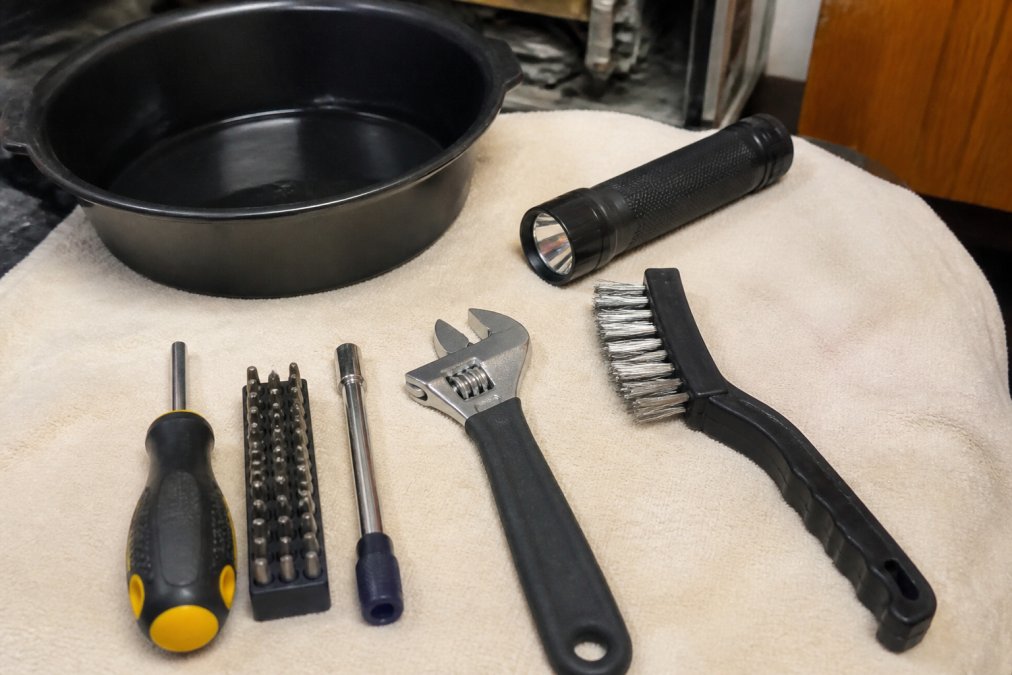
Essential tools:
- Multi-bit screwdriver (Phillips and flathead)
- Adjustable wrench or socket set
- Flashlight with bright LED output
- Drain pan or shallow bucket
- Wire brush or soft cloth
- Needle-nose pliers
- Towels for water cleanup
Safety precautions:
Always disconnect power before opening the dishwasher for internal inspection. Flip the breaker controlling the dishwasher circuit or unplug the unit. Wait at least five minutes to ensure all capacitors have discharged. Residual electrical charge can cause serious injury.
Wear work gloves to protect against sharp edges. Place a drain pan or towels under any work area, even a "dry" dishwasher holds water in the pump and drain lines. Never attempt repairs on sealed systems like the compressor or sealed pump assemblies. These require EPA 608 certification and specialized equipment. At Home Tech, our certified technicians handle sealed-system diagnostics safely.
How to Use the Bosch Dishwasher Reset Button
The reset function clears error codes and restarts the control system.
Power Cycle Method
A power cycle is the simplest reset and often resolves temporary sensor glitches.
- Turn off the dishwasher using the control panel.
- Locate the circuit breaker controlling the dishwasher or unplug the unit.
- Wait 5-10 minutes to allow capacitors to fully discharge.
- Restore power and press the start button.
- Observe whether the error code returns.
If the code reappears immediately, the issue is not temporary. Proceed to more detailed troubleshooting.
Control Panel Reset Steps
Some Bosch models include a dedicated reset option on the control panel.
- Locate the "Start/Cancel" or "Reset" button.
- Press and hold for 3-5 seconds until you hear a beep or see the display reset.
- Release the button and wait for the display to stabilize.
- Check whether the error code has cleared.
Consult your model's manual for exact button location and hold duration. If unavailable, search your model number on Bosch's official support site.
Running Bosch Dishwasher Diagnostic Mode
Diagnostic mode allows your dishwasher to run internal tests and display detailed fault information.
To enter diagnostic mode on most Bosch models:
- Power off the dishwasher completely.
- Press and hold the "Start/Cancel" button while turning the unit back on.
- Continue holding for approximately 3-5 seconds until the display shows "Diagnosis" or "Test" mode.
- Release the button and observe the display.
In diagnostic mode, the dishwasher cycles through its sensors while displaying codes for any faults detected. Run the diagnostic sequence twice. The first cycle shows all detected faults; the second confirms whether those faults are persistent or one-time errors. Exit diagnostic mode by powering off normally.
Troubleshooting Common Faults and Fixes
The most frequent error codes on Bosch dishwashers follow predictable patterns tied to specific components.
E15 and E24 Error Codes
E15 indicates a water inlet issue, the inlet valve may be stuck, the water supply line kinked, or the inlet filter clogged. E24 signals a drainage problem, the pump may be blocked, the drain hose kinked, or the filter basket full of debris.
For E15, turn off the water supply and inspect the inlet hose for kinks or crushing. Remove the inlet filter (usually where the hose connects) and rinse it under running water. Mineral deposits and debris accumulate here, restricting flow. Reinstall the filter and restore water supply.
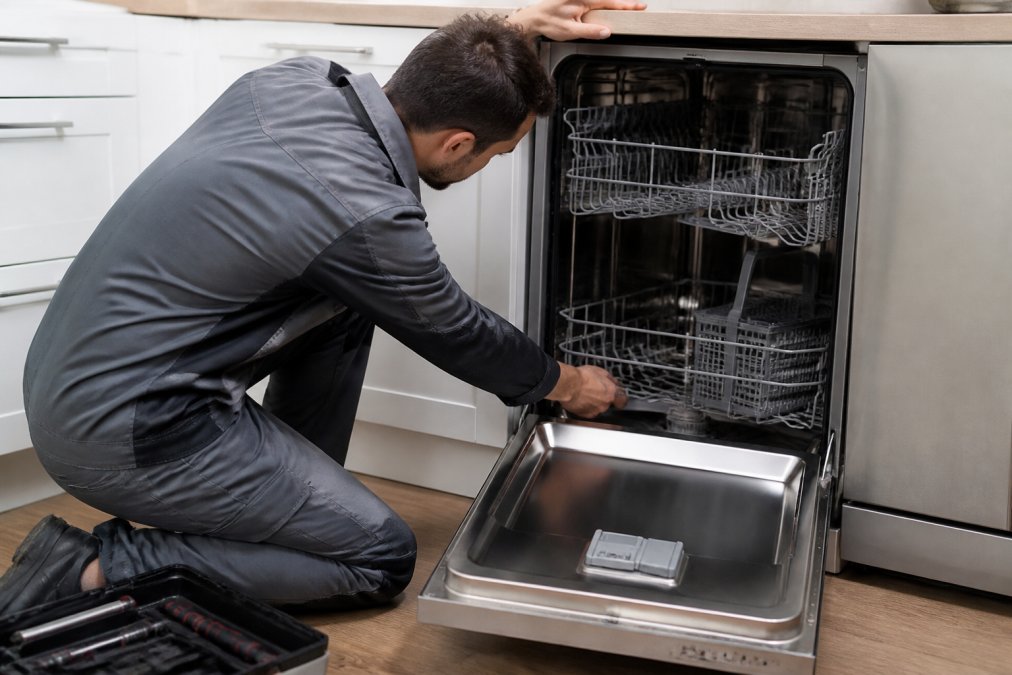
For E24, open the dishwasher and remove the lower spray arm by twisting counterclockwise. Inspect the filter basket for food particles, glass fragments, or debris. Empty and rinse it completely. Check the drain sump at the bottom for visible blockages using a flashlight. If you see debris, use needle-nose pliers to carefully remove it.
Drainage Issues and Pump Problems
If your dishwasher leaves standing water in the tub after a cycle, the pump or drain line is compromised.
Locate the drain hose where it exits the cabinet and follow it to the drain connection. Check for kinks, crushing, or disconnections. Straighten it carefully, ensuring it slopes downward toward the drain. If the hose is clear and properly sloped, the pump itself may be blocked. Remove the filter basket and look for a pump cover plate with multiple screws. Unscrew carefully and lift the cover away. Inspect the pump inlet opening for debris. Use a small brush or cloth to clear any blockages. Reassemble the cover and test.
Water Supply and Inlet Hose Problems
Water supply issues manifest as E15 codes or as a dishwasher that won't fill.
Turn off the water supply valve behind or beneath your dishwasher. Disconnect the inlet hose by untwisting the compression fitting counterclockwise. Place a bucket underneath to catch residual water. Inspect the hose for cracks, pinhole leaks, or damage. If compromised, replacement is necessary.
If the hose appears intact, remove the inlet filter at the connection point. Rinse it thoroughly under running water. If heavily calcified, soak it in white vinegar for 30 minutes, then scrub gently. Reinstall the filter and reconnect the hose. Check the inlet valve itself by listening for a clicking sound when you turn on the water supply. A healthy valve clicks as it opens. No sound suggests the valve is stuck closed. Tap the valve gently with a plastic mallet to dislodge debris. If tapping doesn't restore the clicking sound, the valve requires replacement.
How to Fix E24 Error Code on Bosch Dishwasher
The E24 error code indicates that water is not draining from the tub within the expected timeframe. This is one of the most common issues on Bosch dishwashers and often resolvable without professional help.
Step-by-Step E24 Troubleshooting
Step 1: Power cycle the dishwasher. Turn off the unit and disconnect power for 5-10 minutes. Reconnect power and run a short test cycle. If E24 doesn't reappear, the issue was temporary.
Step 2: Check the filter basket. Open the dishwasher and remove the lower spray arm by twisting counterclockwise. Lift out the filter basket and inspect it for food debris, broken glass, or foreign objects. Rinse thoroughly under running water. Reinstall the basket and spray arm.
Step 3: Inspect the drain sump. The drain sump is the area directly beneath the filter basket where water collects before exiting. Use a flashlight to look into this area. Clean it thoroughly with a soft brush or cloth, paying special attention to the drain opening itself. If debris is stuck, use needle-nose pliers to gently remove it.
Step 4: Check the drain hose for kinks. Follow the drain hose from the dishwasher to the drain connection. Look for bends, kinks, or sections where the hose is pinched. Straighten it carefully and ensure it slopes downward toward the drain.
Step 5: Test the drain connection. Disconnect the drain hose at the point where it connects to your home's drain. Place a bucket underneath and turn on the water supply briefly. Water should flow freely. If it drains slowly or not at all, your home's drain line is blocked, contact a plumber. If water flows freely, reconnect the hose.
Step 6: Run a diagnostic cycle. Power off the dishwasher and enter diagnostic mode by pressing and holding the Start/Cancel button for 3-5 seconds while turning the unit on. If E24 appears during the diagnostic, the drain pump or its electrical connection is faulty. If no codes appear, the blockage has been cleared.
If E24 persists after completing all six steps, the drain pump itself has failed or the control board is not sending power to the pump. These repairs require professional service.
Checking the Drain Hose and Pump Cover
The drain hose and pump cover are the two most common sources of E24 errors.
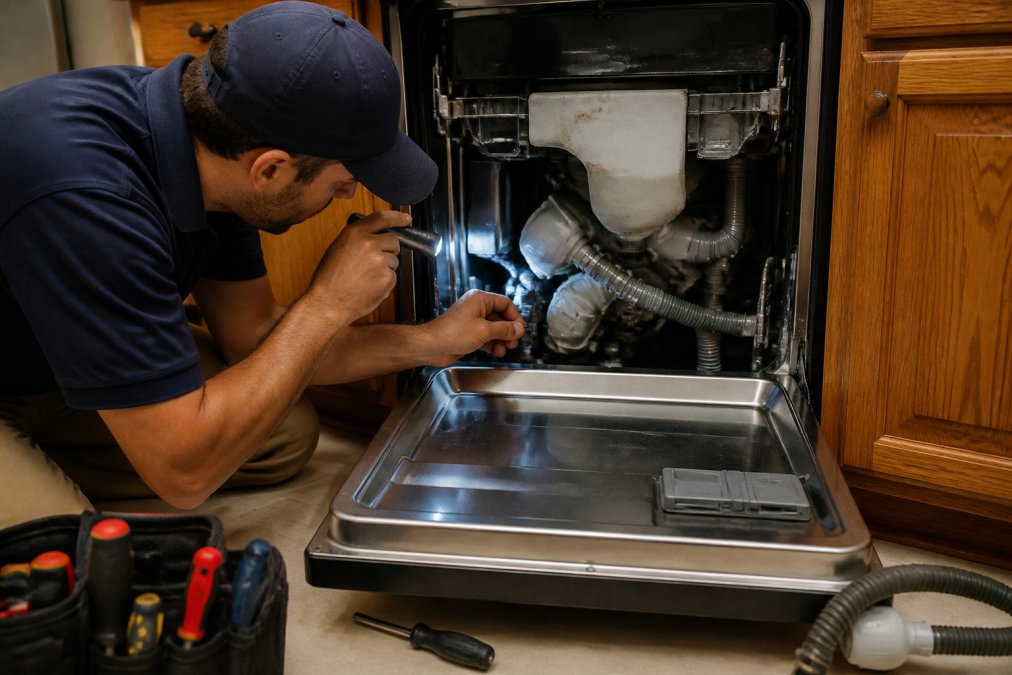
Drain hose inspection:
The drain hose carries water from the pump outlet to your home's drain system. Mineral deposits, food particles, and grease accumulate inside, restricting flow and causing E24 errors. Disconnect the drain hose at both ends. Hold it up to a light source and look through it. You should see light at the other end. If the hose is cloudy or you see blockages, it requires cleaning or replacement. To clean the hose, flush it with hot water and a plumbing snake or flexible brush. If the hose remains clogged, replacement is the safest option.
Pump cover inspection:
The pump cover protects the drain pump and houses the pump inlet. Access it from inside the dishwasher tub by removing the filter basket and lower spray arm. Locate the pump cover plate, typically a rectangular or circular panel with 2-4 screws. Carefully remove all screws and lift the cover straight up. With the cover removed, inspect the pump inlet for visible debris. Use a flashlight to peer inside. Food particles, broken glass, or mineral deposits commonly accumulate here. Use a soft brush, cloth, or your fingers (wearing gloves) to remove debris. Do not insert tools that might damage the pump impeller. Reinstall the pump cover by aligning it with the screw holes and tightening all screws firmly.
Preventative Maintenance to Avoid Future Error Codes
The best approach to error codes is preventing them from occurring in the first place.
Monthly maintenance tasks:
Run your dishwasher empty once monthly with a commercial dishwasher cleaner. Pour the cleaner into the detergent dispenser and run a full hot-water cycle. This removes mineral deposits from spray arms, filter, and internal passages. Inspect the filter basket weekly and remove visible debris after each use. Check the inlet hose connection monthly for signs of leakage.
Quarterly maintenance tasks:
Remove and clean the inlet filter every three months. Soak it in white vinegar for 30 minutes, scrub gently with a soft brush, and rinse thoroughly. Inspect the spray arms for clogs by removing both upper and lower spray arms and holding them up to a light. Use a straightened paper clip to clear any blocked holes. Check the door seal for cracks or deterioration.
Annual maintenance tasks:
Have a professional technician inspect your Bosch dishwasher annually if it's more than five years old. Replace the inlet hose every 5-7 years regardless of appearance, as hoses degrade internally even when they look fine externally.
When to Call a Professional Technician
Some issues are beyond safe DIY repair.
Call a professional if you encounter electrical or control board issues, sealed-system failures, water leaks from the cabinet during operation, or persistent error codes after troubleshooting. At Home Tech, our EPA 608-certified technicians diagnose issues accurately and repair them right the first time. We offer same-day and next-day appointments throughout the Phoenix metro area, with no hidden fees and a 100% satisfaction guarantee. Call Home Tech at (602) 486-1901 to book your appointment.
Bosch dishwashers are reliable appliances when maintained properly. You now understand how to fix error codes on Bosch dishwasher models using systematic troubleshooting and preventative maintenance. For issues beyond your comfort level, professional service ensures your dishwasher returns to reliable operation. Home Tech's certified technicians have resolved thousands of Bosch errors across the Phoenix metro area with fast, affordable service.
Frequently Asked Questions
How do I run diagnostics on my Bosch dishwasher?
Most Bosch dishwashers enter diagnostic mode by pressing specific button combinations on the control panel, typically holding the start button for 3-5 seconds. The exact sequence varies by model year and series. Check your user manual for the precise steps, or contact a technician if you're unsure. Diagnostic mode helps identify fault codes and sensor issues without running a full cycle.
What does the E24 error code mean on a Bosch dishwasher?
E24 indicates a drainage problem, usually caused by a clogged drain hose, kinked hose, or debris in the pump. Start by checking if the drain hose is kinked or blocked. Inspect the siphon connection and ensure the airgap (if present) is clear. If the hose appears clear, the drain pump or filter may need professional cleaning or replacement.
Can I fix a Bosch dishwasher error code without a technician?
Many error codes can be resolved with basic troubleshooting: a power cycle, checking hoses for kinks, clearing debris from filters, and running the reset button sequence. Codes related to water supply, drainage, and sensor malfunctions often have DIY fixes. However, codes involving the heating element, relay faults, control board issues, or persistent drainage problems typically require professional diagnosis and repair.
What is the most common problem with a Bosch dishwasher?
Drainage issues are the most frequent complaint, often triggered by a clogged filter, kinked drain hose, or debris in the pump. These problems generate E15 and E24 error codes. Regular maintenance, rinsing dishes before loading, cleaning the filter monthly, and checking the drain hose for kinks, prevents most drainage faults and extends appliance life.